IT-Conductor vs. ManageEngine

One Platform, One Control Plane: Unified Operations without siloed tools

Deliver end-to-end monitoring and management for business and IT operations from one unified platform. Eliminate siloed tools to enable seamless visibility, intelligent correlation, and automation across the IT landscape.
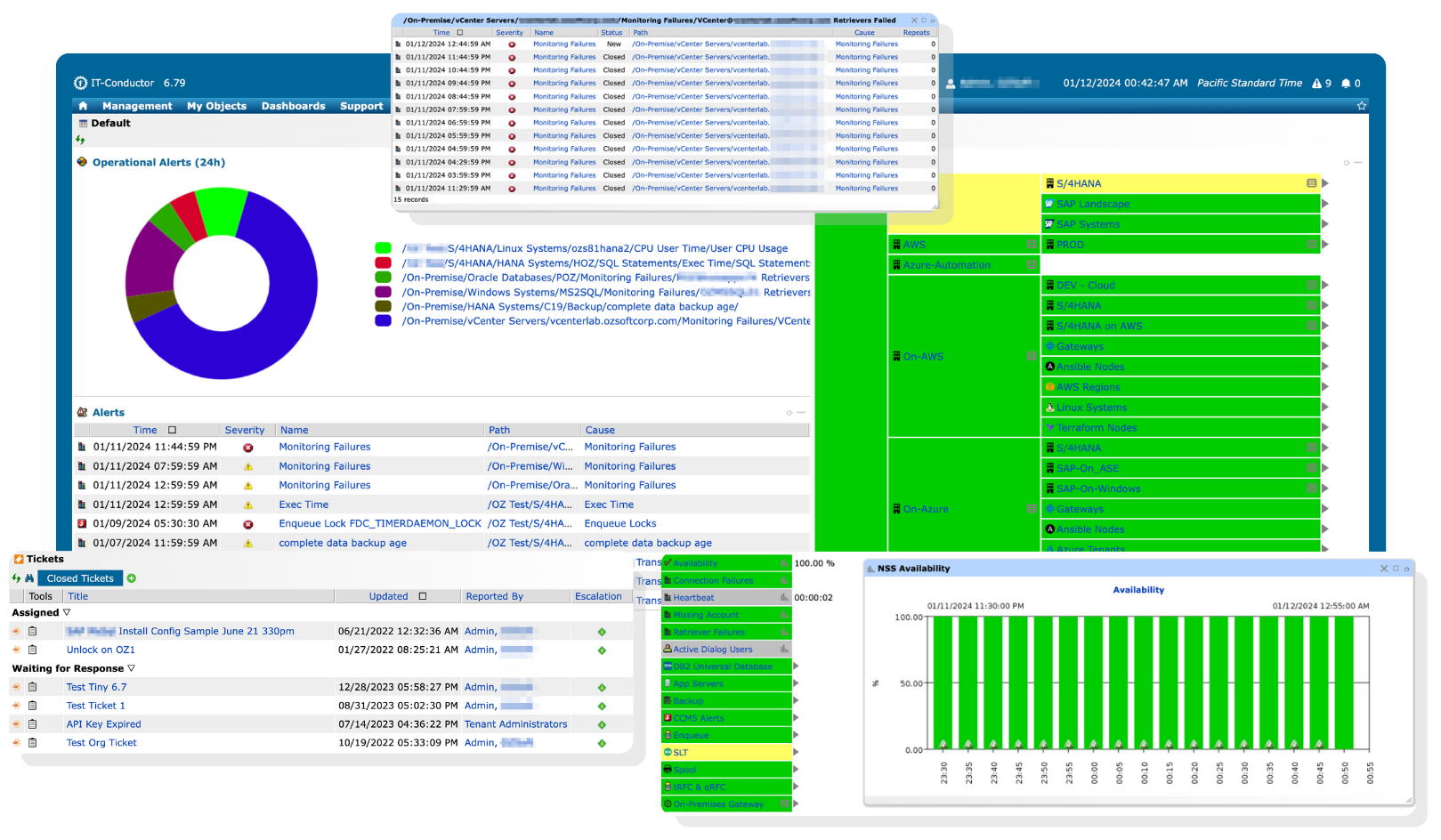
IT-Conductor Default Dashboard

Does ManageEngine cover all your monitoring and automation needs?

ManageEngine offers broad functionality across many products, but monitoring and automation are delivered through separate tools. Together, these products address a wide range of operational needs across infrastructure, applications, and services.
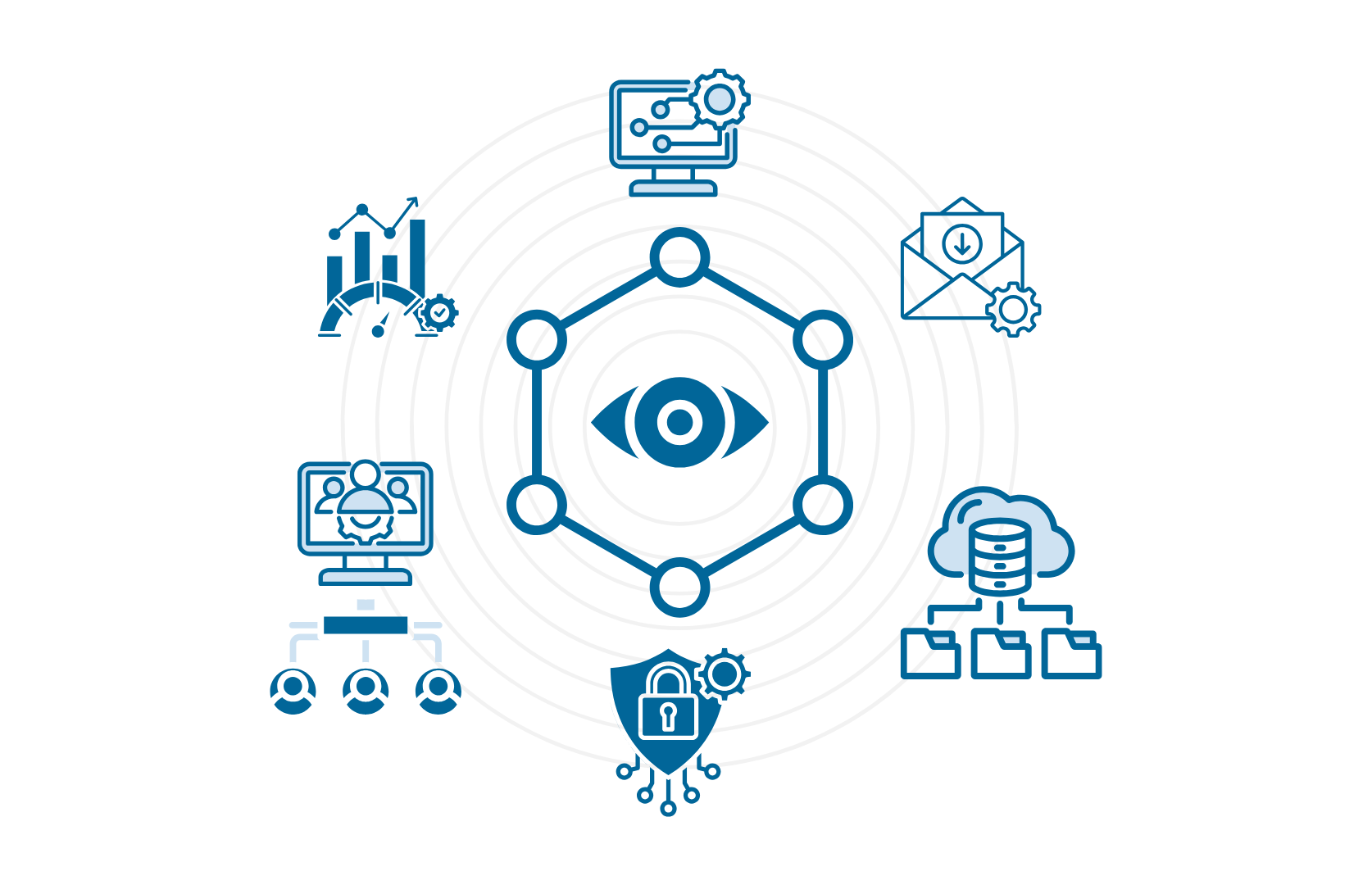
Unified Platform for monitoring IT

Is relying on siloed tools the best way to achieve end-to-end visibility?

End-to-end visibility is challenging when monitoring relies on siloed tools. Although ManageEngine addresses many monitoring needs, achieving full coverage typically requires manual integration across multiple products, which can result in siloed visibility and limited cross-domain correlation and automation.

Which solution best supports your business and IT environment?

IT-Conductor provides enterprise-wide observability and end-to-end orchestration from a single, unified platform.

See how these two solutions compare to determine the right fit for your enterprise.

  • IT-Conductor

  • ManageEngine

IT-Conductor

Starts at $110 /system per month


Flexible pricing for enterprises of all sizes

CONTACT SALES

ManageEngine

Starts at $3,995 /100 monitors per year


The price shown is an estimated baseline for ManageEngine Applications Manager Enterprise Edition, comparable to IT-Conductor, not the minimum advertised tier. Add-ons (e.g., SAP, APM Insight, End User Monitoring) are separately priced and needed for many advanced capabilities. 

LEARN MORE
Architecture and Infrastructure Requirements
  • Cloud-based Service Orchestration and Automation Platform (SOAP) designed to monitor, manage, and orchestrate enterprise IT through intelligent automation
  • Agentless monitoring via reverse proxy for connectivity
  • No hardware installation required
  • Suite enterprise IT management products for identity and access management, enterprise service management, unified endpoint management and security, IT operations management, security information and event management, advanced IT analytics, and low-code app development
  • Supports both agentless and lightweight agent options
Implementation and Deployment
  • Delivered as Software-as-a-Service
  • Works across hybrid/on-prem/cloud
  • Automated landscape discovery with minimal configuration using templates and wizards
  • Requires a Gateway setup to connect to IT-Conductor
  • Not fully hosted Software-as-a-Service
  • Deployment options include on-premises, cloud-native, cloud-ready, and MSP models
  • Works across hybrid/on-prem/cloud
  • No guided setup for SAP landscapes
Performance Metrics and Collection Methods
  • Agentless collection via standard protocols (i.e., SNMP, WMI, JMX, JDBC, and REST APIs), with SAP ABAP metrics collected through standard SAP APIs/RFCs, including CCMS and custom function modules
  • Supports wide SAP landscapes (SAP ABAP (S/4HANA, BW/4HANA, ECC, CRM, BW, SRM, Gateway, SCM, Solman), SAP JAVA (PI/PO, Solman, Portal), BOBJ, BODS, WebDispatcher), and OS/DB components
  • Retrievers determine the method and frequency of metric collection
  • Each metric and alert has an associated class
  • Agentless collection via SNMP, WMI, JMX, REST APIs, and SAP metrics is collected using JDBC (for databases) and JCo (for ABAP systems)
  • Optional agent-based collection on target servers for in-depth performance monitoring
  • Supports wide SAP landscapes and underlying DB/OS components, but SAP monitoring is enabled through an SAP Add-On within Applications Manager, which may require separate licensing depending on your edition and usage
  • Configurable collection intervals with moderate polling reliability
Availability and Service Monitoring
  • Supports ping, logon, synthetic checks, and URL/HTTP availability monitoring for websites and service endpoints
  • Captures availability even when the managed system is offline through an external heartbeat that monitors from the outside in
  • Context-aware availability monitoring that identifies real outages while filtering minor fluctuations
  • Flexible, customer-defined availability models, including custom checks and threshold parameters
  • Supports end-to-end monitoring for services, business processes, and transactions
  • Supports transaction monitoring to test end-to-end user experience
  • Drill -down capability across hierarchical service layers for root-cause correlation and in-depth analysis
  • Adaptive monitoring that automatically correlates events across layers to reduce alert fatigue
  • Supports ping, synthetic checks, and URL/HTTP availability monitoring for websites and service endpoints
  • Supports heartbeat monitoring, but relies on the monitored system to initiate the heartbeat, so if the system or its network is completely isolated, the heartbeat cannot be sent
  • Real user monitoring (RUM) captures end-user experience and availability from actual user interactions
  • Dynamically identifies application/service dependencies that support availability context mapping
  • Tracks the availability percentage against defined SLA targets
  • Supports end-to-end monitoring for applications and services across multiple tiers, but limited to web-centric transactions
  • Dependency maps enable basic root-cause navigation, but correlation is visual and navigational, not model-driven service impact analysis
Thresholds Management
  • Static, dynamic, and standard deviation thresholds with flexible, rule-based targeting
  • Thresholds triggered by aggregates, averages, min/max values, and intervals, with custom severity levels
  • User- or role-based overrides to influence state changes in monitored instances
  • Time-synchronized data with Health Explorer for root-cause analysis (RCA) and troubleshooting
  • Supports static and percentage-based thresholds defined per monitor, with alerting based on breach duration or count
  • Thresholds can trigger alerts based on metric values over configurable polling intervals, with defined warning and critical levels
  • Does not support role-based threshold overrides that influence monitored object state
  • No automatic baseline learning or dynamic deviation tracking. Manual tuning required.
Alerts and Notifications Management
  • Advanced, policy-based notifications with dynamic group targeting, schedule- and severity-based delivery
  • Notification channels include email and SMS, with integration to ITSM and team collaboration tools via webhooks and API
  • Supports threshold-based escalations that trigger alerts only when occurrences exceed a set limit
  • Built-in alert management with configurable severity levels and schedule-based notification routing
  • Notification channels include email and SMS, with integration to ITSM and team collaboration tools via webhooks and plugins
  • Supports threshold-based alert triggering using breach duration or occurrence count to reduce transient alerts
Automation and Orchestration
  • Intelligent, context-aware recovery actions, designed to automatically remediate known events and recurring issues
  • Cross-platform execution of commands and custom scripts
  • Graphical, interactive process design for creating automated IT and business workflows
  • Resource provisioning and configuration via DevOps workflows and Infrastructure-as-Code (IaC) (i.e., Ansible and Terraform)
  • End-to-end orchestration of complex IT and SAP environments, enabling intelligent automation of monitoring events, recovery actions, and workflows across on-prem and cloud platforms
  • Supports basic alert-triggered corrective actions, such as executing scripts or restarting services
  • Supports execution of custom scripts and commands on monitored systems as part of alert actions
  • Graphical, drag-and-drop workflow automation is available via ManageEngine OpManager (separate product; not included in Applications Manager)
  • Supports integration with DevOps tools (e.g., Ansible) via ManageEngine OpManager (separate product; not included in Applications Manager), but no native IaC and provisioning workflows
  • No native SAP landscape automation for Basis activities (i.e., system copy, end-to-end system refresh, transport management)
Reporting and Analytics
  • Interactive, role-based dashboards with KPIs and metrics customized per function
  • Predefined and custom report templates, tailored to specific operational needs
  • Scheduled report generation with automated delivery via multiple channels
  • Supports HTML, PDF, and other export options
  • Historical archiving for baseline comparison, compliance, and troubleshooting
  • Provides graphical dashboards displaying key performance, availability, and capacity metrics
  • Includes predefined and customizable reports for performance, availability, SLA, and capacity
  • Supports scheduled report generation with automated email delivery
  • Supports report export in PDF and CSV formats, with API access for external reporting
  • Maintains historical performance and availability data for trend analysis and troubleshooting
Usability and Accessibility
  • Minimal expertise required to get started
  • Web-based access from anywhere
  • Role-based access control for secure permissions
  • Moderate technical expertise required for configuration and tuning
  • Web-based management console accessed via browser, hosted on customer-managed infrastructure
  • Role-based access control for secure permissions
Support and Documentation
  • Multi-channel support
  • Always-on support for maximum system reliability with expert guidance
  • SLA-based response time for issues and inquiries
  • Onboarding and training sessions to accelerate adoption and proficiency
  • Knowledge base with regular updates
  • Multi-channel support
  • Optional 24×5 or 24×7 support plans with access to product specialists
  • SLA-based support response times vary by severity and support plan
  • Documentation-led onboarding with optional paid implementation and training services
  • Knowledge base with regular updates

The only platform you need to manage your entire tech stack

Achieve a holistic view of your applications, services, and IT infrastructure consolidated into one intuitive interface.
IT-Conductor Service Grid
BROCHURE

Grab this file to review an overview of our solutions at your convenience and share it with your team anytime

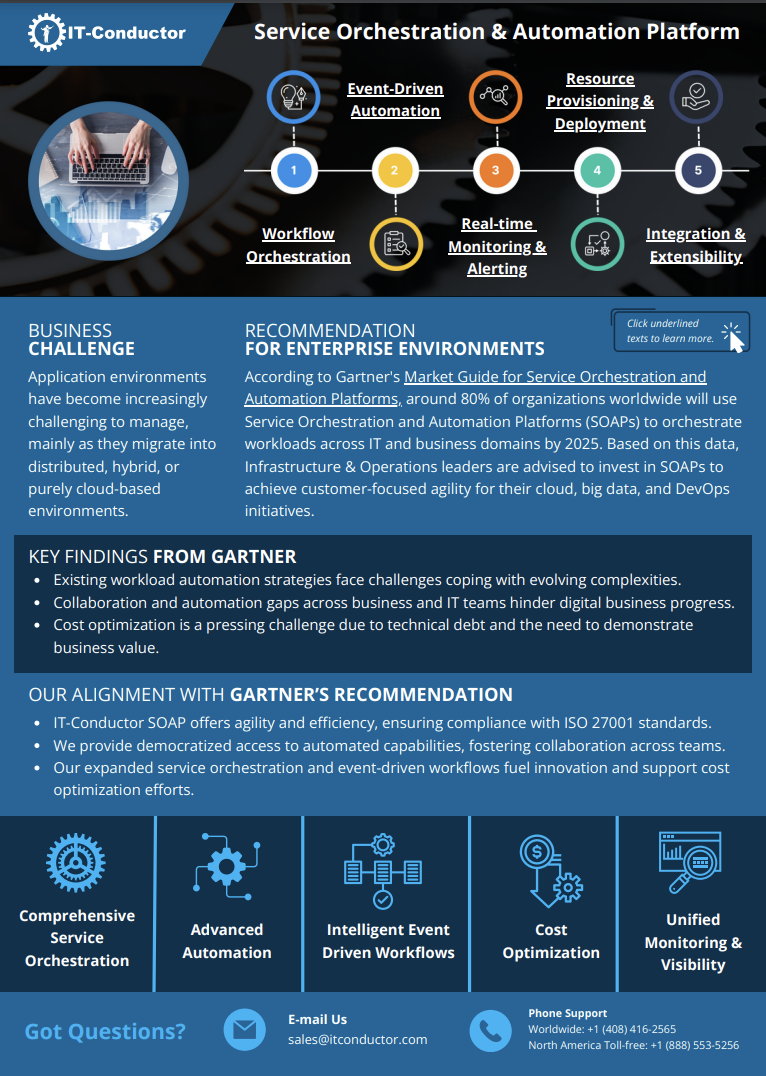
Transform your operations with intelligent workflows, proactive monitoring, and robust scalability. By minimizing noise and maximizing performance, your team can focus on strategic initiatives.
TESTIMONIALS

What our customers say

We had the monitoring of our SCM system up and running within a single collaborative web session. The IT-Conductor team was able to capture specific details of long-running jobs and queue failures, which provided actionable short-term fixes, while recommending auto-recoveries for queues that were only possible via manual intervention previously. The manpower saving and quick MTTR that could be realized was obvious, especially when IT-Conductor can automate it 24x7.

As part of Under Armour’s SAP migration to AWS, automation was identified as a top priority to ensure we leverage best practices in standardized deployment and use industry-leading tools to automate SAP IT Operations processes. IT-Conductor fits nicely into the solution mix, being an AWS SaaS Marketplace platform and a deep automation specialist.

FAQs

Need clarification?

Which solution aligns better with enterprise-wide IT monitoring and automation strategies?

A solution that aligns best with enterprise-wide IT monitoring automation strategies is one that delivers unified observability, intelligent correlation, and coordinated automation from a single platform. IT-Conductor is designed around this model, enabling organizations to monitor, correlate, and automate actions across business and IT environments without relying on multiple, disconnected tools.

In contrast, tool-centric approaches require automation and monitoring to be implemented across separate products, often demanding manual integration and limiting end-to-end orchestration. For enterprises pursuing scalable, consistent, and automation-first IT operations, a unified platform approach aligns more naturally with long-term monitoring and automation strategies.

Can I use IT-Conductor with ManageEngine?

Yes. IT-Conductor can work alongside ManageEngine and other existing monitoring tools without conflict. However, direct integration is currently not provided.

Which tool requires less effort to onboard IT environments of varying complexity?

IT-Conductor generally requires less onboarding effort because it uses a unified platform model. In contrast, tool-centric solutions, such as ManageEngine, require configuring and maintaining multiple products as environment complexity increases.

Subscribe to the IT-Conductor Newsletter

Get insights on the latest trends in tech, product updates, and industry perspectives delivered straight to your inbox.