Event-driven Automation
Transform your IT operations by leveraging sense-policy-respond workflows to ensure rapid responses to critical events. Empower your team with a self-service administration console and role-based access controls, providing unparalleled control over automation.


Revolutionize your IT operations with automated workflows. Experience unparalleled efficiency and agility. Learn More →
Respond faster, operate smarter
Unleash the power of event-driven automation to detect, respond, and resolve in real time.
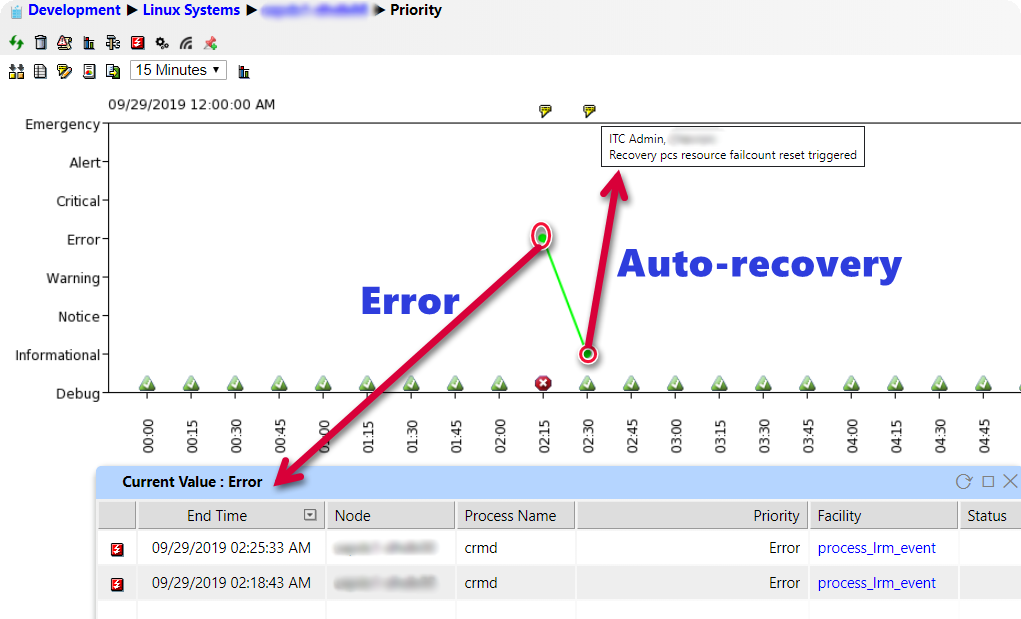
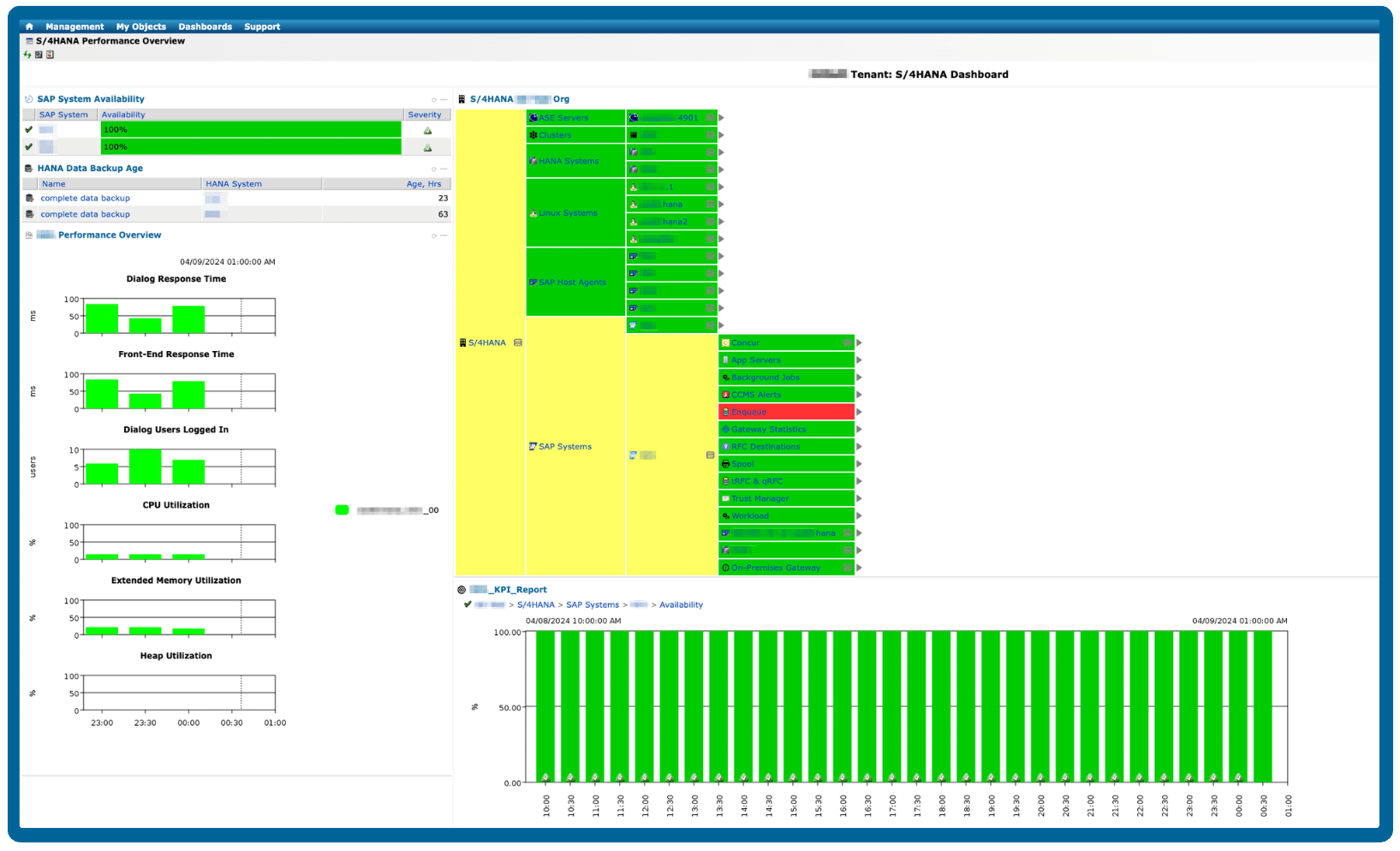
Real-time monitoring and alerting
Stay informed and proactive with real-time monitoring of your processes and instant alerts for any anomalies or issues. Our comprehensive monitoring and alerting system enables you to detect and address issues promptly, minimizing downtime and enhancing overall operational resilience. With timely insights and alerts, you can ensure continuous performance optimization and operational excellence.
Automated performance optimization
With event-driven automation, IT-Conductor identifies performance bottlenecks in real-time, triggers optimization workflows, and dynamically adjusts system configurations to ensure optimal performance and user experience.
Self-service administration console
Empower your users with a sophisticated self-service administration console with role-based access controls and an intuitive interface for managing and initiating automated workflows. By giving users greater autonomy and control over their tasks, you will foster a culture of empowerment and efficiency within your organization.
Policy-based change management
Implementing policy-driven change management workflows, IT-Conductor ensures seamless and standardized changes to IT infrastructure, reducing the risk of errors and disruptions.
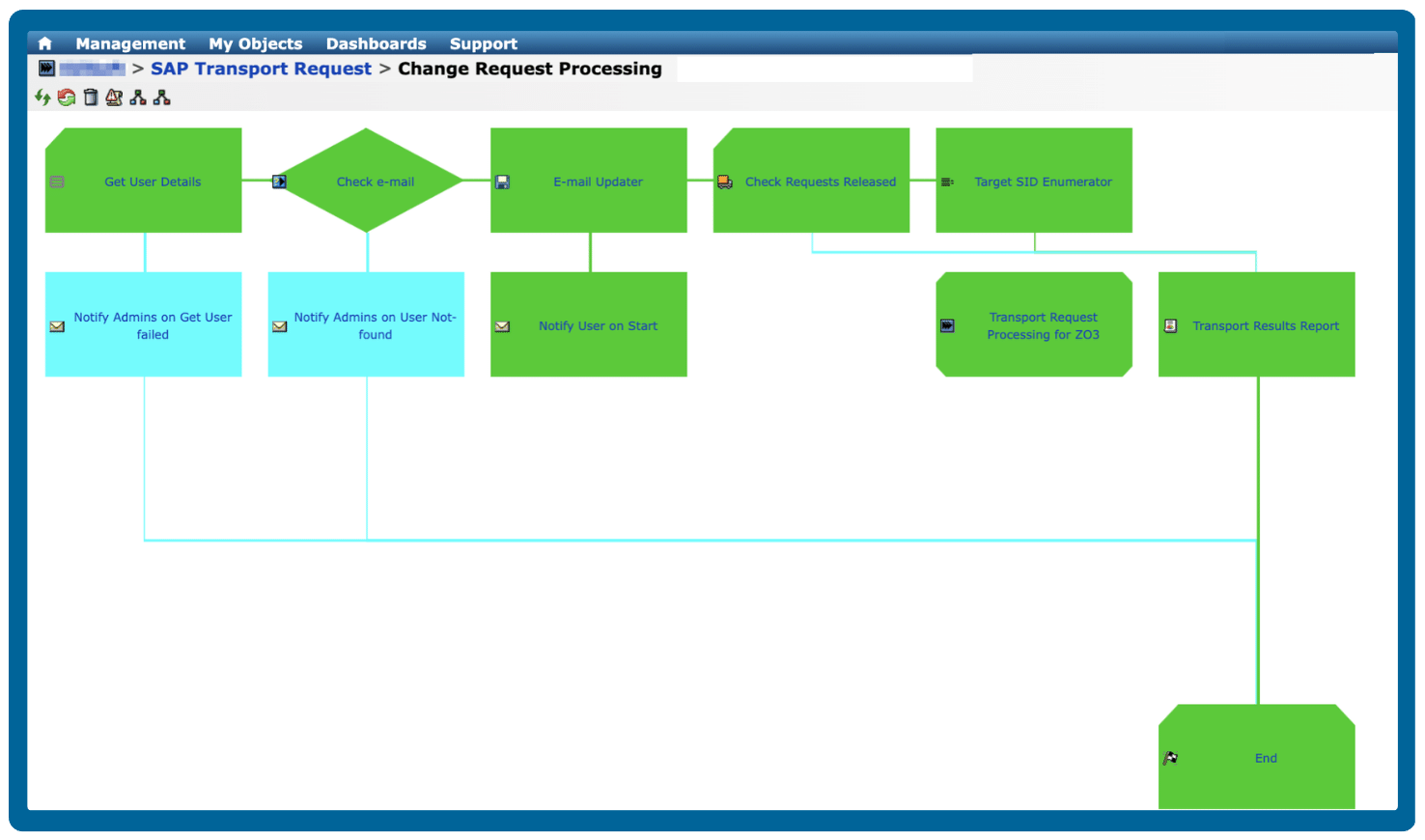
Sense-policy-respond workflows
Transform your IT processes by implementing sense-policy-respond workflows, where triggers are sensed, validated against policies, and promptly responded to with appropriate actions in real time. With this advanced capability, your organization can ensure swift and accurate responses to critical events, enhancing operational efficiency and agility.
Trusted by leading brands worldwide

Frequently Asked Questions
What is event-driven automation in IT operations?
Event-driven automation refers to workflows that sense specific triggers or anomalies, validate them against policies, and then respond automatically by executing predefined actions. This enables real-time operational responsiveness rather than manual reaction.
How does event-driven automation improve IT operational efficiency?
By automating detection, policy checks, and remediation, teams reduce manual effort, identify and resolve issues quickly, avoid delays and human error, freeing staff to focus on strategic initiatives.
What kinds of events can trigger workflows in event-driven automation?
Triggers might include infrastructure alerts (memory/CPU thresholds), application performance degradation, system outages, change requests, user-activity anomalies, or policy violations.
How does event-driven automation support incident response and remediation?
When an event occurs (e.g., system fault), workflows can automatically escalate, create incidents, execute remediation scripts or configurations, send alerts, and update stakeholders—all with minimal, if not without, manual hand-offs.
Can event-driven automation work across hybrid and multi-cloud environments?
Yes. Event-driven automation can operate across hybrid and multi-cloud environments. It listens for events from multiple systems, whether on-premises, in private clouds, or across public cloud platforms, and triggers workflows based on those events. This enables unified automation for distributed environments, allowing teams to manage resources, enforce policies, and respond to incidents consistently across different infrastructure layers.
With service orchestration and automation platforms like IT-Conductor, cross-platform integrations, and API-based triggers, event-driven automation ensures visibility, control, and coordinated actions no matter where systems are running.