SAP Basis Automation
Transform SAP operations effortlessly with automation tailored for SAP Basis, delivering simplified management, enhanced efficiency, and elevated performance.

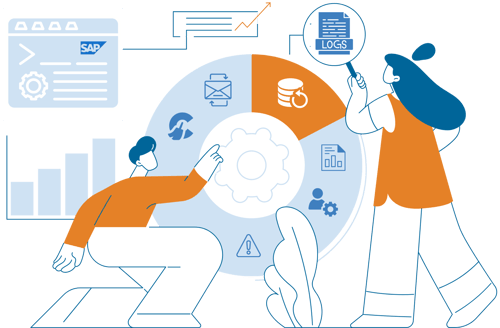
Explore sample scenarios and kickstart your journey to saving valuable time for your teams today! Learn More →
Why automate SAP Basis operations?
Free your team from repetitive tasks and focus on higher-value SAP initiatives
-
Increased Efficiency
Automation optimizes SAP operations by managing routine tasks and reducing time and effort. This allows teams to focus on high-value tasks, driving innovation and business growth.
-
Minimized Errors
Automating repetitive processes reduces human errors and ensures reliable SAP landscape management.
-
Faster Response Times
Automated alerts and recovery actions minimize downtime, maintain business continuity, and provide a better user experience.
-
Resource Optimization
Automation gives administrators more time to focus on strategic initiatives, allowing organizations to reallocate resources and invest in growth and innovation.
-
Scalability & Flexibility
Accommodate growing business needs and adapt to changes in the IT landscape.
Optimize queue management and batch job processing
Ensure efficient data processing and prevent bottlenecks between transactions. Detect failed jobs and automatically trigger restart operations for batch jobs.
SAP Inbound/Outbound Queue Restart Automation
IT-Conductor allows users to automate the restarting of Inbound/Outbound (SYSFAIL, RETRY, CPIERR, and RUNNING) queues.
SAP Batch Job Restart on Error
IT-Conductor facilitates automatic restarts of interrupted or failed batch jobs, ensuring continuous processing and minimizing disruptions to critical business processes.
Detect and resolve errors automatically
Quickly identify any anomalies and automatically initiate recovery actions to remediate errors. Say goodbye to manual troubleshooting while your team focuses on value-adding activities.
OS Linux Pacemaker Cluster Error Management
IT-Conductor allows users to automate error handling in a Pacemaker cluster environment.
OS Printer Queue Restart Automation
Automate the process of restarting printer queues using IT-Conductor's recovery action feature.
Simplify workload and resource management
Configure thresholds to automatically perform start/stop, backup, and cleanup operations to optimize resource performance and enhance overall system reliability.
Leverage automation wizards to perform administrative tasks effortlessly, reducing manual workload and ensuring smooth, uninterrupted operations.
Start/Stop Automation
In IT-Conductor, you can quickly start and stop systems, databases, and applications. Just click a button, and the platform handles everything automatically without requiring you to log in. This feature allows you to perform maintenance activities with greater ease and flexibility.
Age-based HANA Backup Automation
The backup automation tool provided by IT-Conductor offers a high degree of customization, allowing organizations to tailor the backup process to their specific requirements. This includes defining backup schedules, threshold overrides, and custom recovery activities.
OS File System Cleanup Automation
IT-Conductor simplifies Unix/Linux file system cleanup automation, improving performance management capabilities.
SAP User Unlock and Password Reset Automation
IT-Conductor automates self-service password resets and user unlocking based on the customer's security policy. As needed, reset passwords can be sent directly to the user, a distribution list, or a specified group.
SAP Kernel Update Automation
The SAP Kernel Update automation solution automates kernel patching, significantly reducing planned downtime for maintenance windows and increasing security compliance.

Empower SAP Basis teams through workflow orchestration
Automation frees up your team from repetitive tasks and allows them to focus on driving innovation and growth. Imagine the possibilities when they can dedicate their time and expertise to things that bring value, ignite creativity, and optimize your SAP landscape.
Deliver end-to-end automation across your entire SAP lifecycle
Daily Operations
Free your SAP Basis teams from repetitive maintenance activities through intelligent automation and proactive monitoring.
SAP Transport Management
Automate transport requests with IT-Conductor ChAI™ for faster workflows, reduced risk, and complete visibility into every change.
System Refresh
Streamline the SAP system refresh process with workflow orchestration and IT-Conductor FLUX™ handling SAP post-copy automation.

SAP Upgrades and Migrations
Gain complete visibility into every SAP upgrade and migration phase with IT-Conductor SUMMon™, which integrates with SAP SUM to centralize monitoring, progress tracking, and issue detection.

Trusted by leading brands worldwide

Frequently Asked Questions
What SAP Basis tasks can be automated?
SAP Basis automation can streamline many routine and time-consuming administrative tasks, including SAP transports, system health checks, performance monitoring, user and role administration, patch and kernel updates, system refreshes, and alert handling.
By automating these core activities, teams reduce manual effort, improve consistency, accelerate issue resolution, and ensure systems stay optimized with less operational overhead.
To learn which SAP Basis activities deliver the largest business and operational impact when automated, read this blog post.
Is SAP Basis automation suitable for large enterprise SAP environments?
Yes. Automation is ideal for complex SAP landscapes with multiple systems and frequent changes because it improves scalability, consistency, and performance.
Will automation eventually replace SAP Basis administrators?
No. Automation will not replace SAP Basis administrators. It will only remove repetitive manual tasks so admins can focus on higher-value work like system tuning, security, upgrades, capacity planning, and innovation. It acts as a force multiplier, not a replacement.
Here's an interesting episode on Linh Talks Tech that talks about the ROI of Intelligent Automation in SAP Basis Automation.
You can also listen to the conversation of IT-Conductor CEO and CTO, Linh Nguyen and David Stavisski, about the future of AI agents and whether they will replace IT jobs.
Do I need to know scripting or programming to automate SAP Basis activities?
Not necessarily. Modern SAP service orchestration and automation platforms like IT-Conductor provide low-code/no-code tools and pre-built workflows, so Basis admins can automate without deep scripting knowledge. Advanced users can still extend automation with scripts if needed.
How do I handle emergency or manual transports if automation is enabled?
Automation does not eliminate your ability to run emergency or manual transports. You can still bypass automated workflows when urgent changes are required (i.e., when responding to production issues or critical patches).
Most SAP automation platforms support controlled manual execution paths, including:
- Emergency or fast-track transport routes
- Manual approvals and overrides
- Direct execution for priority fixes
- Audit logging for compliance
- Ability to resume automation after the change
This gives SAP Basis teams the flexibility to manage routine and scheduled transports, while you retain full control for unplanned or high-priority changes.