SAP Upgrade and Migration Enterprise Solution
IT-Conductor SUMMon™ brings clarity to SAP upgrades and migrations by centralizing monitoring, progress tracking, and issue detection in one platform. Enterprises gain real-time insight to keep projects on schedule and reduce downtime risks.


Enable end-to-end availability and performance management across your whole SAP technology stack. Learn more →
Manage and monitor multiple SAP system upgrades from one platform
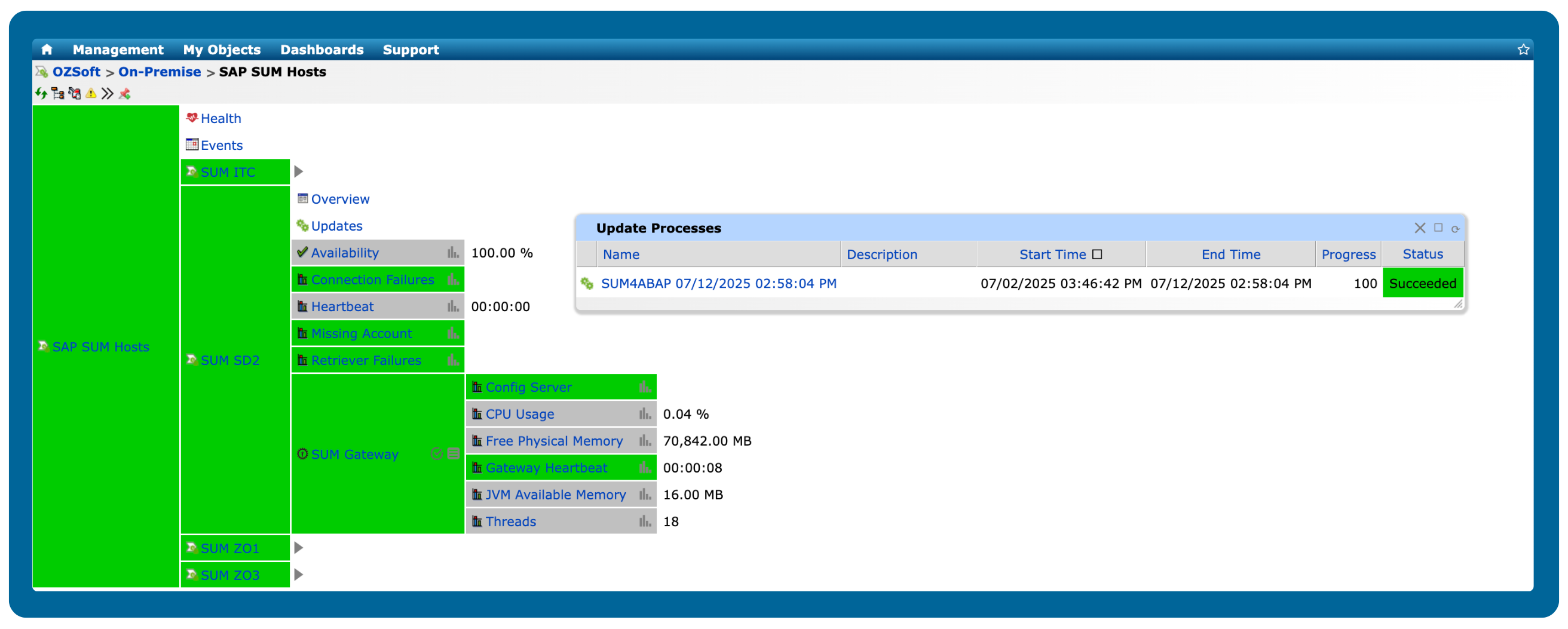
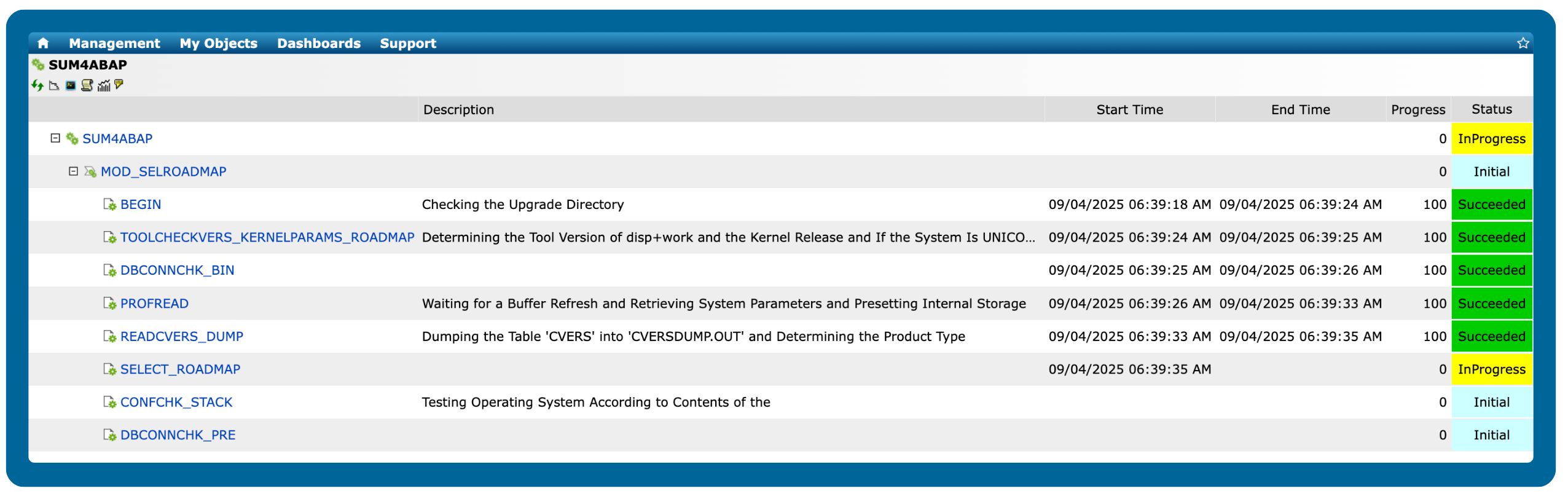
Integrate SAP SUM with IT-Conductor and receive real-time status updates across systems, eliminating the need to manually review logs and providing your team with the visibility they need to act quickly. With proactive insights, you can stay ahead of issues, maintain performance, and complete upgrades with fewer interruptions.
See SAP upgrade progress unfold in real time
SAP upgrades with thousands of phases can leave teams disoriented halfway through the process. SUMMon gives you live updates at every step, so projects stay on track from beginning to end.
Gain complete project visibility and stay on top of every phase
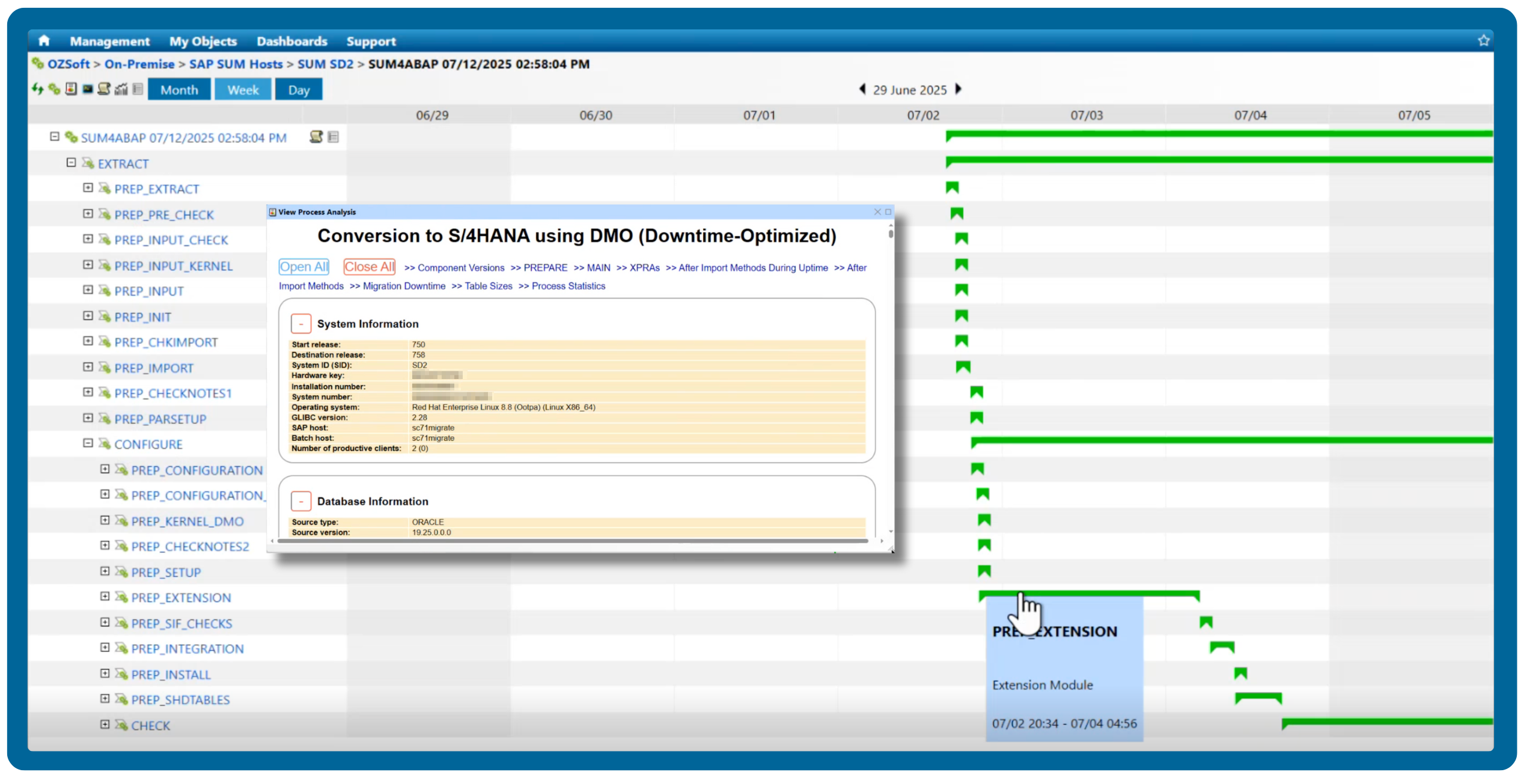
SUMMon puts real-time project visibility in your hands. Monitor progress, stay on top of UAT and cutover, and prevent bottlenecks throughout the upgrade. With easily accessible status reports, you can act quickly on potential issues before they happen.
Always stay compliant with audit-ready logs and documentation
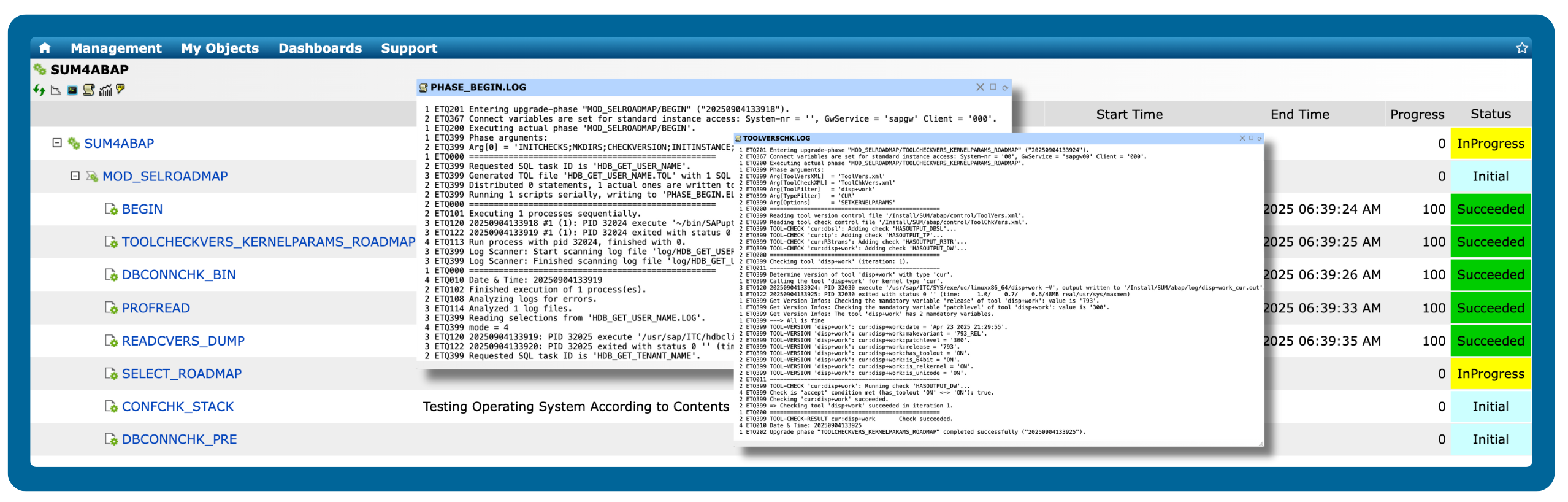
SUMMon makes compliance effortless by eliminating manual documentation and automatically creating structured, exportable workbooks and logs for every phase. The result is clear, accessible records that keep upgrades transparent and fully audit-ready.
Ensure no handoff is missed with comments and notifications
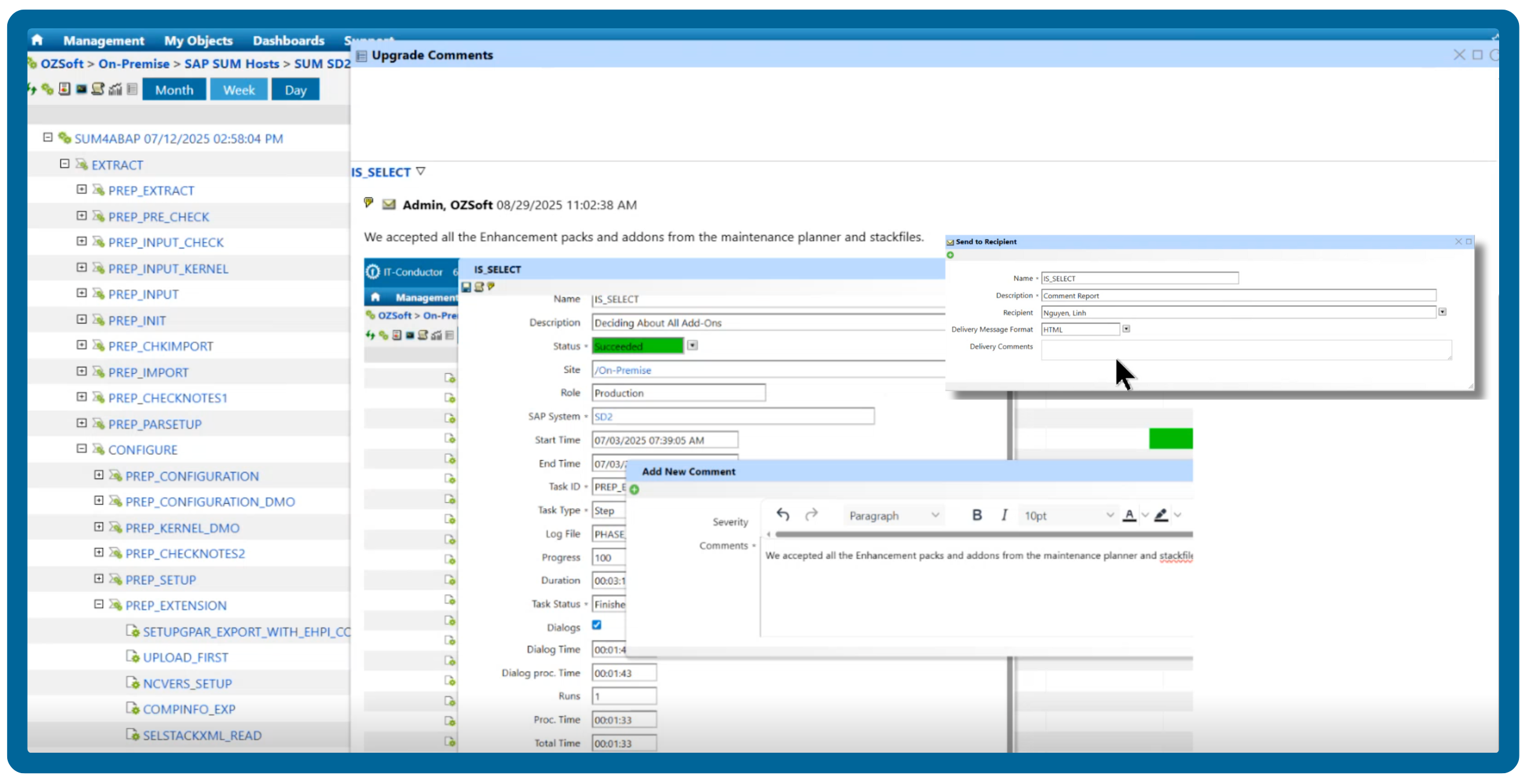
Upgrades often involve multiple teams, and one missed handoff can derail your timeline. With SUMMon, anyone with the right access can add comments directly on the platform, keeping communication centralized. Set alerts at critical phases and get notified immediately when things fail.
Streamline end-to-end management of your entire SAP system landscape
Gain full control of your SAP environment and transform operations with advanced visibility and control. Enjoy a free trial to monitor up to 2 SAP systems!
Trusted by leading brands worldwide
Replay the launch event
See how IT-Conductor SUMMon takes the guesswork out of SAP upgrades. In this recorded session, Linh Nguyen walks through the real challenges SAP teams face, including scattered logs, errors without context, and poor coordination. He then demonstrates how SUMMon delivers visibility and control at every phase.
Whether you perform upgrades, manage projects, or oversee compliance, this session shows how SUMMon can simplify execution and reduce risk. Learn how to shift from reactive upgrades to a structured process, while gaining the speed and assurance that come from managing everything in one platform.
Frequently Asked Questions
What tools are used to migrate data from legacy SAP systems, and how do you choose the right one?
There are several tools for migrating data from legacy SAP systems, each suited to specific environments and migration types. SAP offers tools like Migration Cockpit, SUM with DMO, and SLT for data transfer and real-time replication, while third-party automation platforms enhance visibility and reduce manual errors.
When selecting a migration tool, consider system size, complexity, database type, cloud provider, and automation needs. A unified orchestration approach ensures data integrity, performance, and compliance throughout the migration.
IT-Conductor simplifies SAP migrations end-to-end, whether on-premise to cloud or cloud-to-cloud (AWS, Azure, or GCP). With real-time visibility, automated tracking, and agentless SAP-native automation, it keeps every phase on track and minimizes manual work.
Learn how IT-Conductor can help you accelerate your SAP migration with confidence.
What are the biggest challenges in an SAP S/4HANA upgrade?
Upgrading to SAP S/4HANA presents several technical challenges that go beyond a simple version update. Legacy custom code often depends on deprecated functions and tables, requiring remediation through tools like the ABAP Test Cockpit or Custom Code Migration App to align with S/4HANA’s simplified data model. Data migration also introduces risk, such as large datasets that must be cleansed, validated, and harmonized to prevent inconsistencies in master data or transactional records once moved to the HANA in-memory database. Integration adds another layer of complexity, as hybrid landscapes with third-party systems can experience interface disruptions or synchronization issues if middleware configurations (such as SAP PI/PO or CPI) aren’t properly managed.
Even with modern migration tools like SUM DMO and Near-Zero Downtime options, unplanned outages can still occur during cutover, affecting business continuity. Post-upgrade, performance tuning becomes critical to leverage HANA’s in-memory capabilities effectively through proper sizing, SQL optimization, and index adjustments. Security and compliance must also be revisited —authorization models and GRC rules often require reconfiguration to maintain control and segregation of duties. Without rigorous testing, automated validation, and user enablement, these technical risks can lead to costly downtime or performance degradation after go-live.
How can downtime be minimized during an SAP upgrade or migration?
Minimizing downtime during an SAP upgrade or migration requires careful planning, real-time visibility, and automation to prevent delays or human errors. One of the most effective ways to achieve this is through IT-Conductor SUMMon, a solution designed to streamline and orchestrate complex SAP upgrade and migration projects.
With SUMMon, you can receive real-time status updates across all systems, eliminating the need to manually review logs and giving your team the visibility to act quickly. SAP upgrades often involve thousands of phases, leaving teams disoriented halfway through the process. SUMMon solves this by providing live progress tracking at every step, ensuring your projects stay on track from start to finish.
You can monitor UAT and cutover progress, prevent bottlenecks, and use structured, exportable workbooks and logs automatically generated for each phase, removing the need for manual documentation. Collaboration is also built in, where multiple teams can leave comments directly on the platform, keeping communication centralized. Also, by setting alerts for critical phases, you’ll be notified immediately when issues arise, allowing you to respond before they impact your timeline. This level of orchestration and visibility helps significantly reduce downtime and keeps your SAP upgrade or migration running smoothly from planning to go-live.
How can data integrity and system health be validated after an SAP migration?
Validating SAP data integrity and system health typically involves verifying that configuration data, master data, and transactional records have been accurately transferred without corruption or loss. System checks should also confirm database consistency, performance benchmarks, and connectivity between application layers.
IT-Conductor streamlines post-migration validation by continuously monitoring system health, performance KPIs, and integration points across SAP and non-SAP components. It provides real-time visibility into database performance, background jobs, and interface activity. Automated health checks and dashboards can also be configured to detect anomalies early, while providing auditable evidence of data accuracy and system stability.
How can real-time progress be tracked across multiple SUM phases?
Tracking progress during an SAP Software Update Manager (SUM) run can be challenging, especially when managing multiple systems or landscapes simultaneously. Each SUM process involves hundreds to thousands of phases, and without centralized visibility, teams often rely on manual log reviews or frequent status checks across systems, slowing down response times and increasing the risk of missed issues.
IT-Conductor SUMMon solves this challenge by providing real-time, end-to-end visibility across all active upgrade projects from a single, unified dashboard. It continuously monitors each SUM phase, displaying live progress indicators, elapsed times, and error notifications. Teams can receive instant alerts when failures occur and add contextual comments within the platform to coordinate faster resolutions.
By eliminating manual log reviews and automating phase tracking, SUMMon ensures that upgrade timelines stay on schedule, and stakeholders, from Basis teams to project managers, have the insights they need to act quickly and confidently throughout the entire upgrade cycle.