Business Process Monitoring

Experience next-level transformation with our solution designed to monitor, manage, and automate your business processes. Drive unparalleled efficiency across your organization and position your business for success.


IT-Conductor Reviews
Business Process Monitoring

Discover the transformative potential of workflow orchestration to revolutionize the way you operate your business. Learn More →

How do you achieve uninterrupted flow in your business process?

  • Detection

    Detection

    Detect potential disruptions to core business processes to proactively address and mitigate any issues that may arise.

  • Alerting

    Alerting

    Enable proactive alerting and timely notifications, and help speed up quick response to unexpected incidents.

  • Reporting

    Reporting

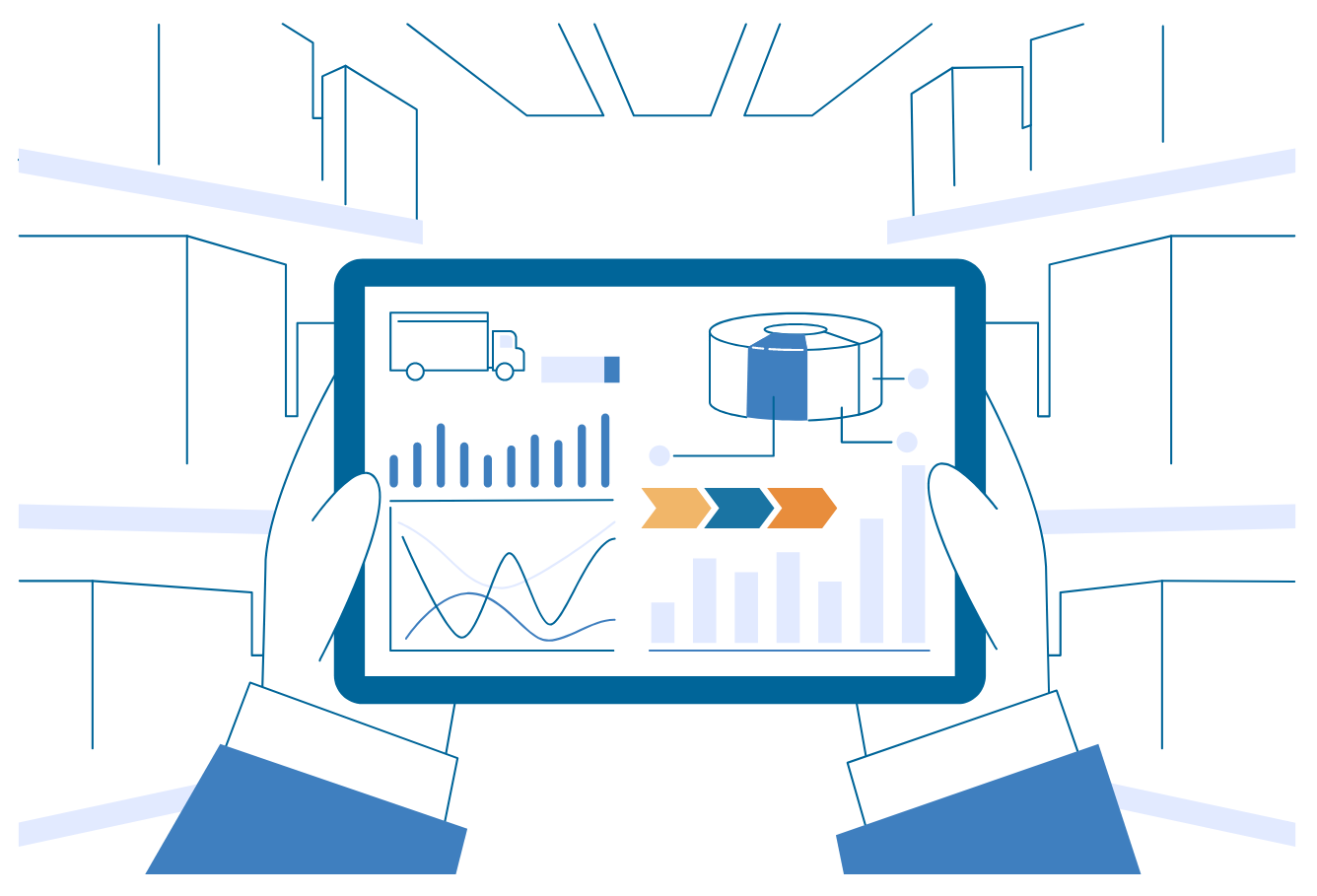
    Transform data into actionable intelligence with comprehensive reporting and advanced analytics.

  • Automation

    Automation

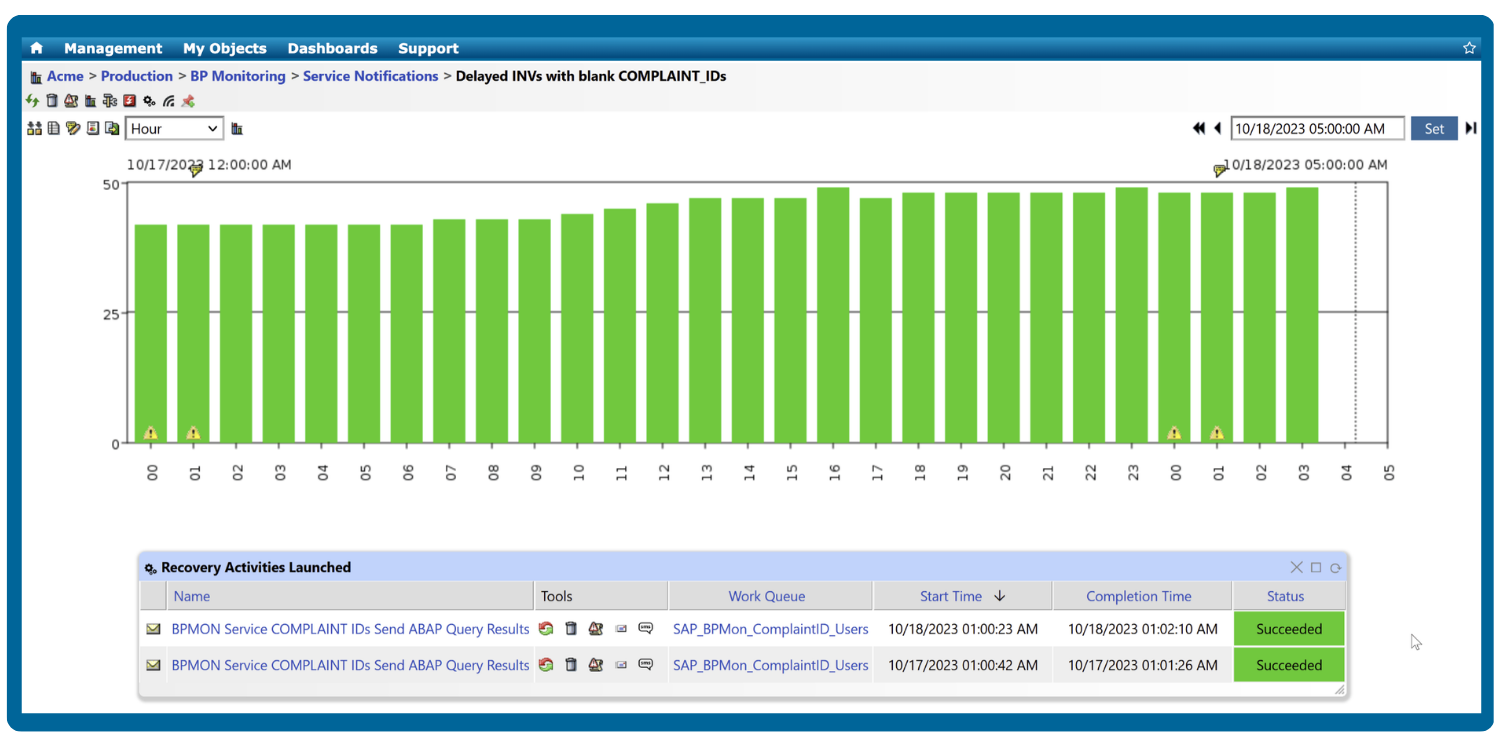
    Automate processes to consistently deliver exceptional customer service and experience at every touchpoint.

Optimize Operational Efficiency through Process-Oriented Detection of Potential Disruptions to Core Business Processes

Establish robust procedures and protocols for monitoring disruptions in your business activities. Incorporate mitigation strategies and commit to regular evaluation and refinement to ensure their relevance and efficacy. By fostering a culture of continuous improvement and adaptability, your organization can effectively navigate challenges and maintain operational excellence in an ever-changing business landscape.

Business Process Monitoring
Proactive Alerting

Strengthen Business Resilience by Enabling Proactive Alerting, Timely Notifications & Rapid Response to Unexpected Events

Facilitate quick incident response by configuring alerts to promptly notify the right people at the right time, thus improving overall operational efficiency and minimizing mean time to repair (MTTR). Proactive alerting enables organizations to anticipate and mitigate potential problems, fostering overall agility and resilience. 

Harness the Power of Data to Drive Strategic Business Decisions through Comprehensive Reporting & Advanced Analytics

Transform raw data into actionable intelligence with advanced reporting and analytics, empowering your team to make informed and strategic business decisions. Provide your team with the tools and insights they need, so they can propel your business towards sustainable growth and success.

Business Process Monitoring
Customer Satisfaction

Enhance Overall Customer Satisfaction and Experience with Automated Recovery Mechanisms

Incorporate automated recovery mechanisms to minimize downtime and ensure any disruptions are addressed. By providing a seamless experience for your customers, you demonstrate your commitment to system reliability and enhance their overall satisfaction and loyalty to your brand.

Monitor, Analyze & Streamline your Core Business Processes

Gain the insights you need to prevent disruptive downtime, maintain business continuity, and maximize operational efficiency.

Business Process Monitoring Service Notifications
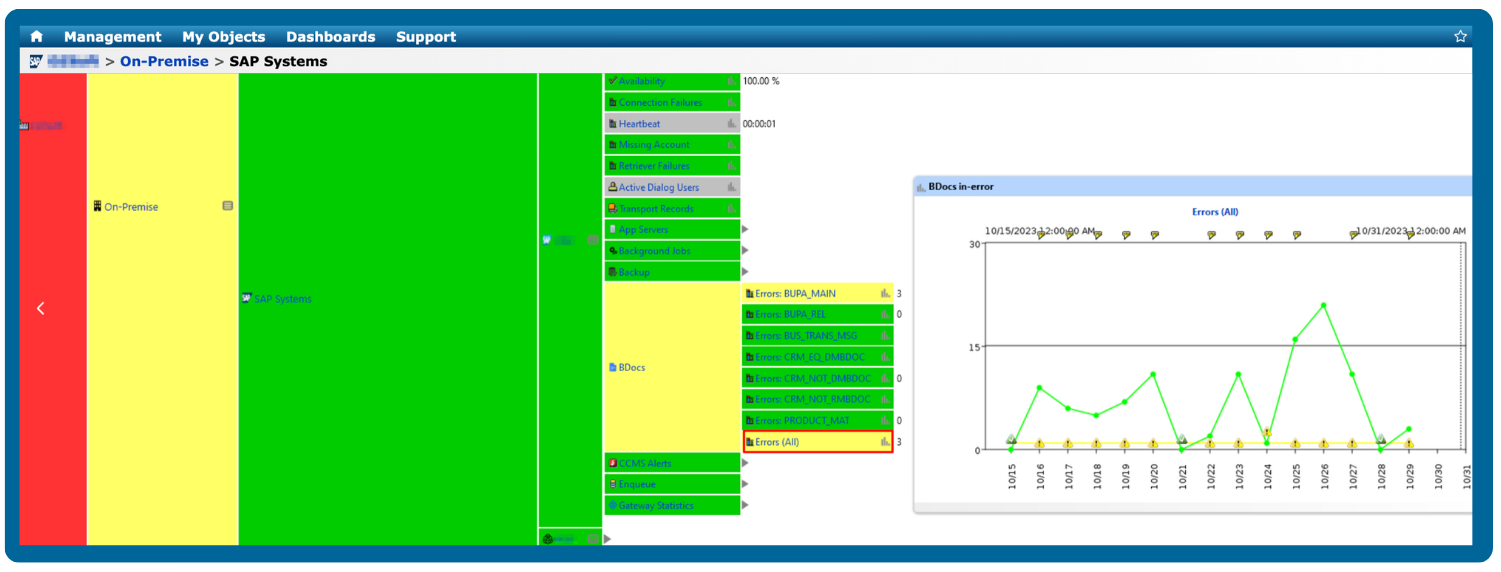
BDocs Monitoring

BDocs Monitoring

  • Monitor BDocs processing status and BDoc queues to identify any delays or bottlenecks during data exchange
  • Monitor error messages to quickly identify and resolve any issues that may arise during processing of data
  • View In-Error BDoc Count for specific message types
IDocs Monitoring

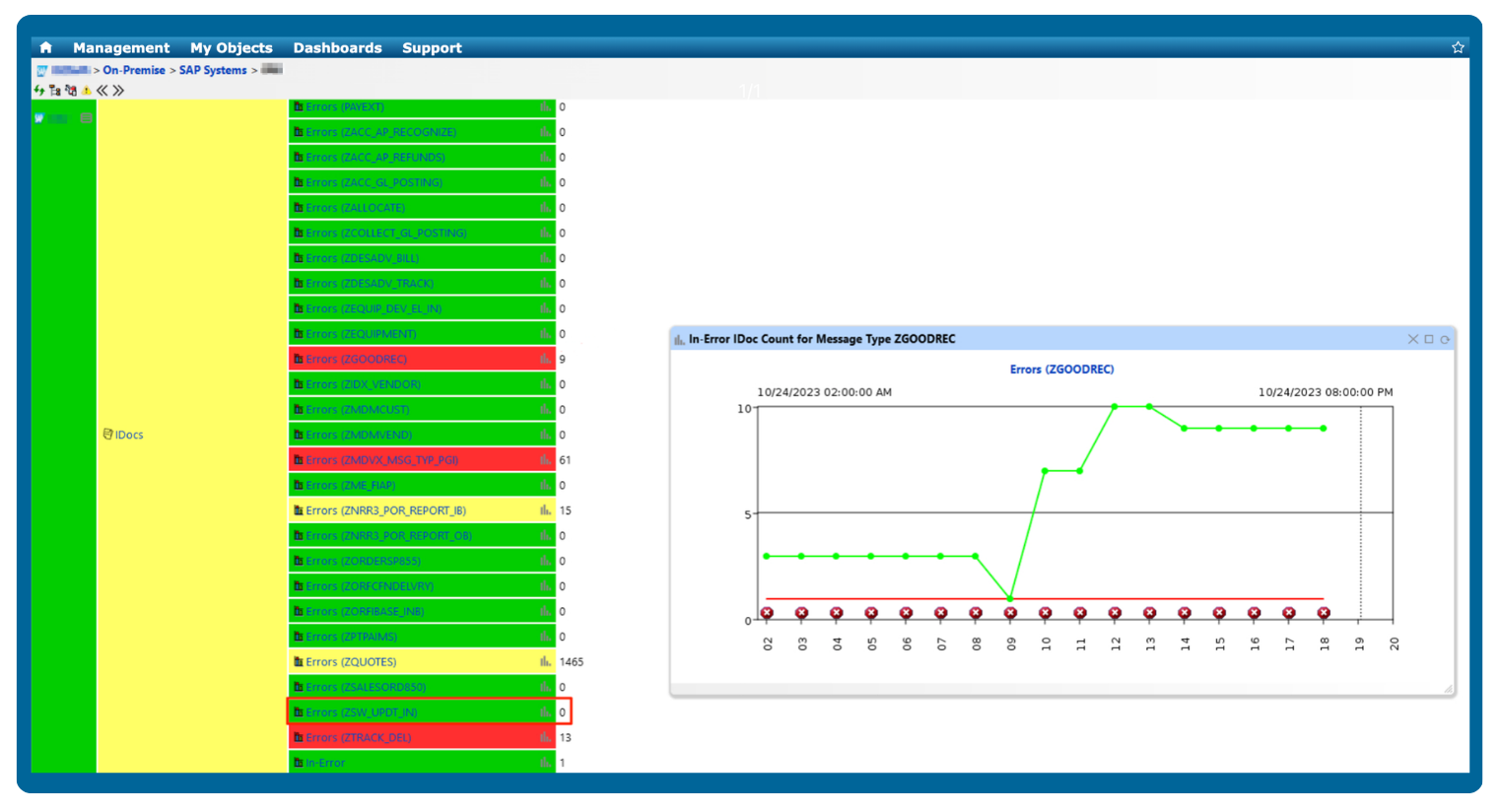
IDocs Monitoring

  • Monitor IDocs processing status and processing time
  • Monitor error messages to quickly resolve any issues that may arise during data exchange and processing of data
  • View In-Error IDoc Count for specific message types

Simplify Business Process Management

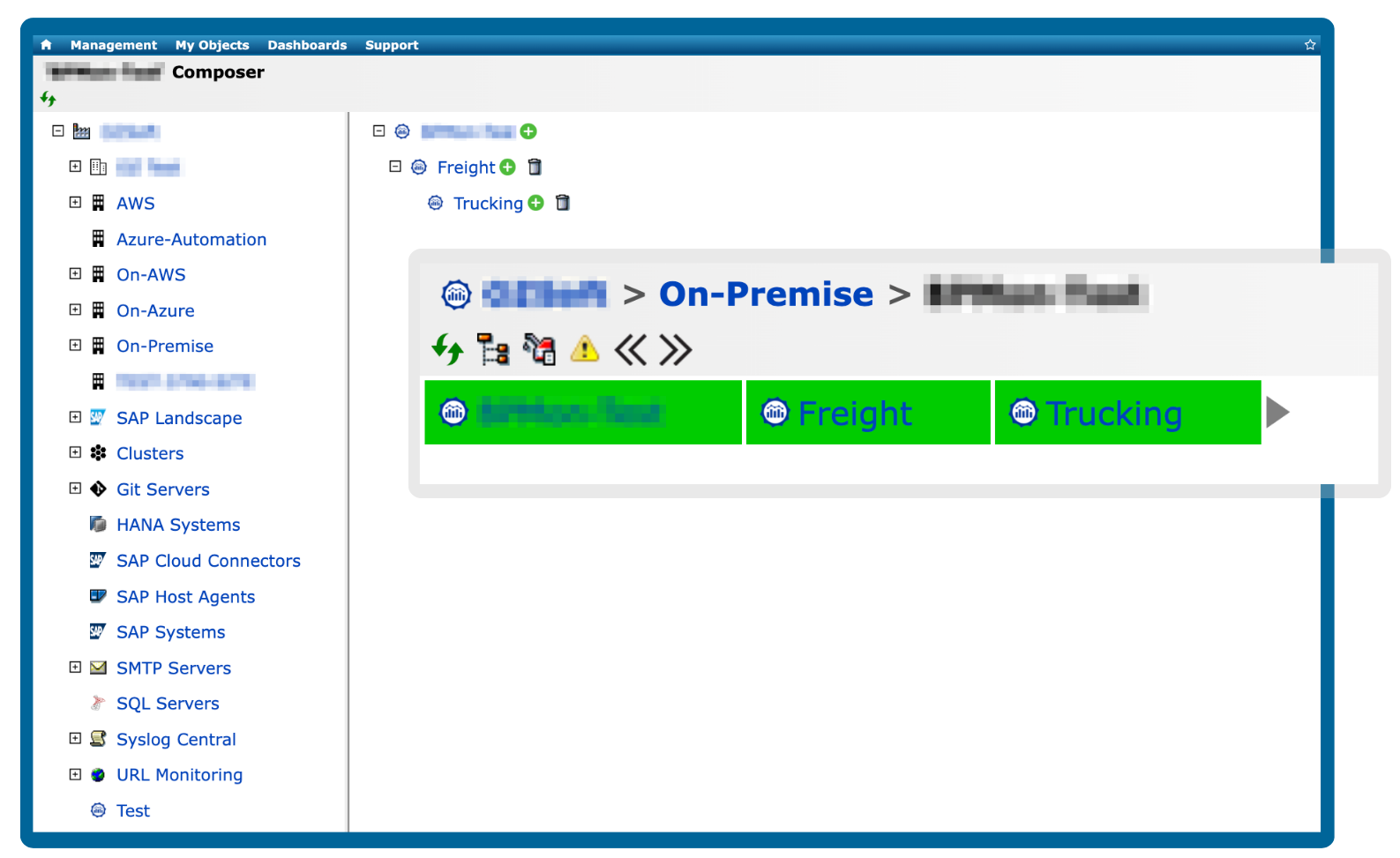
Manage organizational business process hierarchies with IT-Conductor's drag-and-drop business composer. Learn More →

Business Process Management Automation
SAP Job Monitoring and Management

End-to-End SAP Job Monitoring and Management

In today's enterprises, complex business processes are often managed within the SAP ecosystem. These processes involve transactions, batch jobs, process chains, messages, documents (such as iDocs and BDocs), and a myriad of interdependencies. Regardless of how meticulously designed they are, the failure of these activities is not a matter of IF but WHEN. This is because they depend on systems, data, business logic, and sometimes human error.
IDocs Monitoring with IT-Conductor

A Guide to Configuring and Monitoring IDocs with IT-Conductor

When it comes to SAP applications, intermediate documents (or IDocs) are essential for the successful transfer of business data. IDocs can be used for a variety of purposes, including exchanging purchase orders, customer invoices, delivery notes, and more. They are designed with various functionalities that allow them to integrate with any system within an organization’s network. IDocs enables businesses to reduce manual input time, streamline processes, and automate data exchange. With their ability to facilitate communication between different systems in an organization, they have become a key component in the SAP environment.
SAP Workflow Automation

SAP Workflow Automation with IT-Conductor

Workflow automation is the establishment of a series of tasks based on preset rules and automatically triggering and rerouting these tasks among different teams or task owners to complete one transaction in a business process. In several organizations, business processes involve several applications which almost always include SAP.

By now, it is no news that managing SAP landscapes is far from simple. Especially for an enterprise environment, managing data, and the underlying infrastructure is deemed more complex without workflow automation in place.

In business, processes are the catalysts for success.

With IT-Conductor as your Business Process Monitoring solution, you gain real-time insights into your business operations, allowing you to proactively identify bottlenecks, streamline workflows, and enhance productivity.

Trusted by Leading Brands Worldwide

itconductor-customer-logos

Frequently Asked Questions

Business Process Monitoring (BPM) is the practice of tracking and analyzing end-to-end business workflows. It provides visibility into how well processes are performing by monitoring key performance indicators (KPIs), transaction flow, and integration points like IDocs, BDocs, and interfaces.

Monitoring business processes is critical because even small delays in production can disrupt entire operations, leading to revenue loss or customer dissatisfaction.

While Application Performance Monitoring (APM) focuses on the technical performance of applications, such as response times, resource utilization, and error rates, Business Process Monitoring (BPM) looks at the end-to-end flow of business transactions across multiple systems.

In other words, APM helps ensure that individual applications run efficiently, while BPM ensures that entire business workflows, such as order-to-cash or purchase-to-pay, are executed successfully from start to finish. BPM connects the dots between systems, applications, and integration layers, allowing teams to detect process-level failures, bottlenecks, or data inconsistencies that APM alone might miss.

To measure business-process health and performance effectively, organizations should track both technical and functional metrics that reflect how efficiently transactions flow across systems. Key metrics include process completion time, transaction success or failure rate, throughput (the number of transactions processed), and error frequency at integration points such as IDocs, BDocs, and background jobs.

Monitoring process cycle time helps identify bottlenecks or delays, while tracking queue length, job duration, and retry counts highlights system or workflow inefficiencies. In SAP environments, it’s also important to monitor interface response times, workflow status, and data consistency between systems to ensure smooth end-to-end execution.

IT-Conductor automatically correlates business process metrics with underlying system performance data to provide a comprehensive view of how technical issues affect business outcomes. It correlates process-level KPIs, such as completion time, error rate, and transaction flow, with infrastructure metrics like CPU, memory, response time, and database performance.

For example, if a critical process, such as order-to-cash slows down, IT-Conductor can trace the cause back to a specific SAP job delay, queue backlog, or database bottleneck. This end-to-end visibility allows IT teams to quickly pinpoint whether the problem lies in the application layer, integration point, or system resources.

When selecting a business process monitoring tool, focus on its ability to provide end-to-end visibility (i.e., mapping and tracking workflows across all systems), real-time KPIs and alerts, customizable dashboards, and integration with your existing systems (i.e., ERP, CRM, and collaboration tools). The ideal solution should also support automation or remediation capabilities so that you can act on issues, not just detect them.