Business Process Automation
Transform complex SAP business processes into streamlined, automated, and optimized workflows with IT-Conductor's Business Process Composer. Simplify the management and monitoring of your SAP environment, reduce operational risks, and achieve unparalleled efficiency.


Embrace advanced transformation with our solution tailored to monitor, manage, and automate your business processes. Learn More →
Simplify business process management
Effortless process automation in three simple steps
-
1. Design the process
-
2. Configure monitoring and alerts
-
3. Optimize
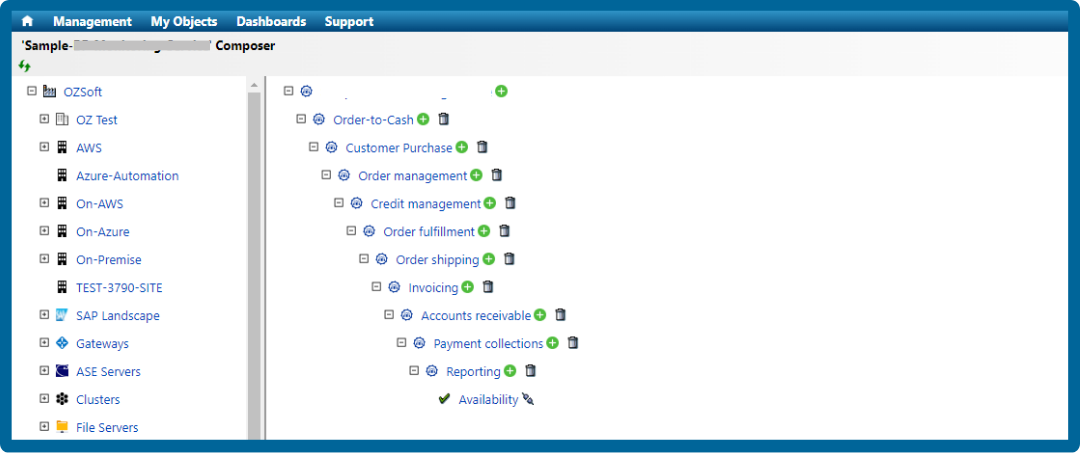
1. Design the process
Utilize the graphical interface to create your business process by dragging and dropping process elements like tasks, events, and conditions into the workspace. Configure each element with specific parameters, inputs, and outputs, and establish connections to define the workflow sequence.
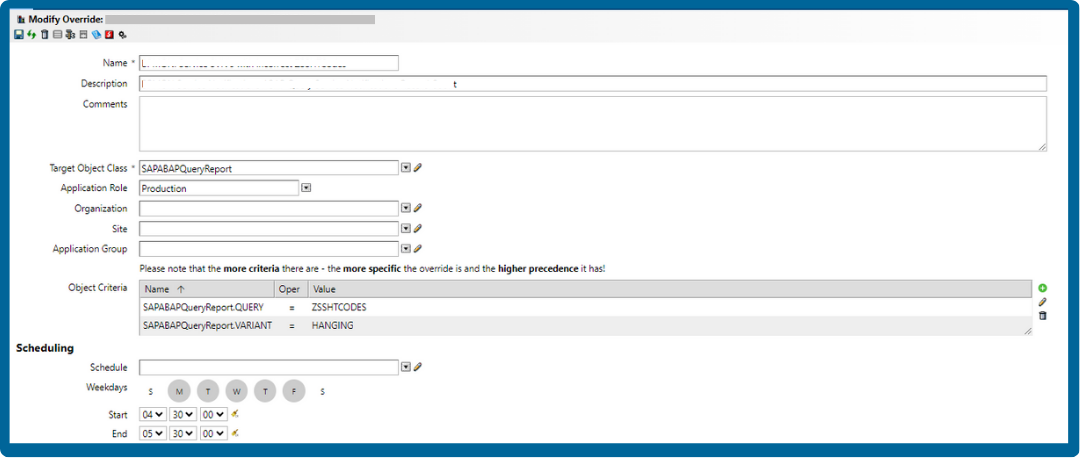
2. Configure monitoring and alerts
Set up alerts and notifications for deviations or failures, specifying the conditions that trigger these alerts and the preferred methods for receiving notifications.
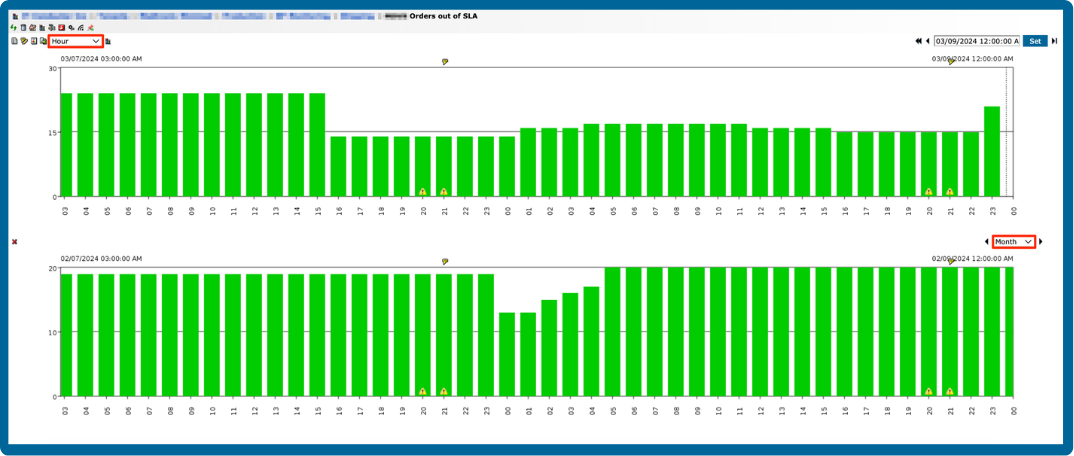
3. Optimize
Monitor its execution, reviewing performance metrics and logs to identify areas for improvement. Use the insights gained to optimize the process, making adjustments to enhance efficiency and reliability.
Intuitive graphical process modeling
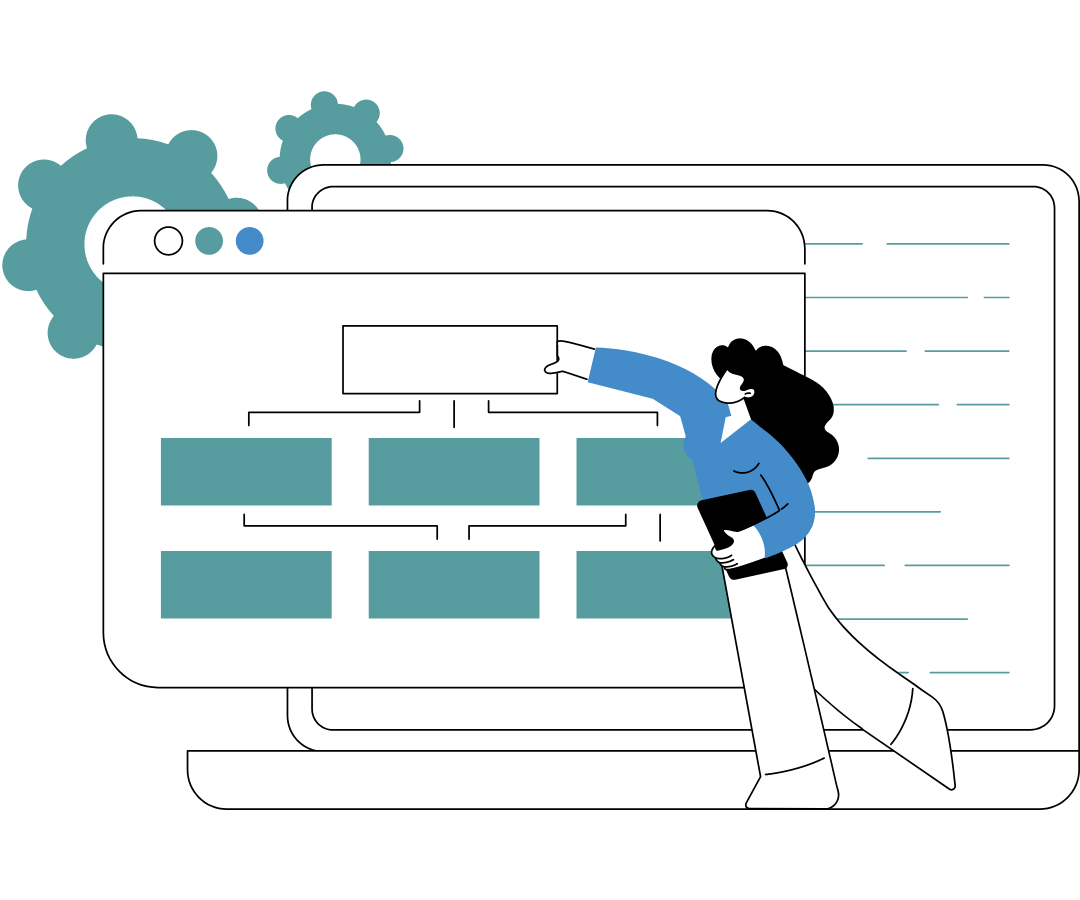
Designing complex business processes is now as simple as drag-and-drop. The Business Process Composer's intuitive graphical interface lets you create, modify, and visualize workflows effortlessly. Build comprehensive SAP process models by connecting predefined components, enabling quick and error-free process setup. This user-friendly approach ensures that even those without deep technical expertise can design effective processes, saving time and reducing errors.
Real-time process monitoring and alerts
Stay ahead of potential issues with real-time process monitoring and instant alerts. The Business Process Composer continuously tracks your workflows, providing immediate insights into performance metrics. Receive instant notifications on process deviations or failures, enabling proactive problem resolution before they escalate. With customizable alert settings, you can ensure critical events never go unnoticed, maintaining operational continuity and minimizing downtime.
Automated task scheduling and execution
Automate your SAP processes to streamline routine tasks and ensure consistency. The Business Process Composer allows you to schedule and execute workflows automatically, reducing manual intervention and human error. Set specific triggers and conditions to initiate tasks, ensuring they run precisely when needed. This automation capability not only boosts efficiency but also frees up valuable time for your team to focus on more strategic activities.
Robust error handling and recovery
Equip your operations with robust error handling and recovery mechanisms. The Business Process Composer includes sophisticated features to detect, manage, and recover from process failures. Implement automatic retries, fallback procedures, and error logging to minimize disruptions. This ensures your processes remain resilient, providing consistent performance even in the face of unexpected issues, and maintaining business continuity.
Performance analytics and optimization
Unlock the full potential of your processes with advanced performance analytics. The Business Process Composer offers detailed insights into process metrics, allowing you to identify bottlenecks, evaluate performance, and optimize workflows. Utilize data-driven analysis to make informed decisions, enhance resource allocation, and refine your processes continuously. This feature empowers you to achieve operational excellence by leveraging actionable intelligence to drive improvements.
Deliver end-to-end automation across your entire SAP lifecycle
Daily Operations
Free your SAP Basis teams from repetitive maintenance activities through intelligent automation and proactive monitoring.
SAP Transport Management
Automate transport requests with IT-Conductor ChAI™ for faster workflows, reduced risk, and complete visibility into every change.
System Refresh
Streamline the SAP system refresh process with workflow orchestration and IT-Conductor FLUX™ handling SAP post-copy automation.

SAP Upgrades and Migrations
Gain complete visibility into every SAP upgrade and migration phase with IT-Conductor SUMMon™, which integrates with SAP SUM to centralize monitoring, progress tracking, and issue detection.
Trusted by leading brands worldwide

Frequently Asked Questions
What is business process automation?
Business process automation is the practice of using technology to streamline and automate repetitive, rule-based business processes across an organization. It connects tasks, data, and systems to improve efficiency, reduce errors, enforce compliance, and free employees to focus on higher-value work.
Business process automation can be applied to a wide range of processes from invoice approvals and purchase orders to SAP-driven workflows in manufacturing or healthcare, such as production order tracking, material requirements planning (MRP) runs, patient billing, or claims processing.
Which business processes are best suited for automation?
The best candidates for automation are repetitive, rule-based, and high-volume processes that require minimal human judgment. These typically include invoice processing, purchase order approvals, employee onboarding, expense management, and customer support workflows.
In SAP-driven industries, automation can enhance efficiency across sectors like manufacturing. For example, automating production order tracking, MRP runs, and quality checks. Another would be in healthcare, where patient billing, claims processing, and compliance reporting can be streamlined through intelligent workflows.
How is business process automation different from robotic process automation?
Business process automation focuses on end-to-end process optimization, integrating systems, workflows, and data to streamline business operations. Robotic process automation (RPA), on the other hand, automates specific repetitive tasks by mimicking human actions at the user interface level.
What metrics should I track to measure business process automation success?
Track metrics such as process completion time, error rate reduction, cost savings, and employee productivity. You should also measure automation uptime, exception rate, and user adoption to ensure processes are running efficiently and delivering measurable value.